- PennWest brand assets, including approved logos, colors and fonts
- University-approved templates for commonly created materials
- Shared resources to help departments create consistent, on-brand communications
- Canva Enterprise design and collaboration tools
- Access using your PennWest account
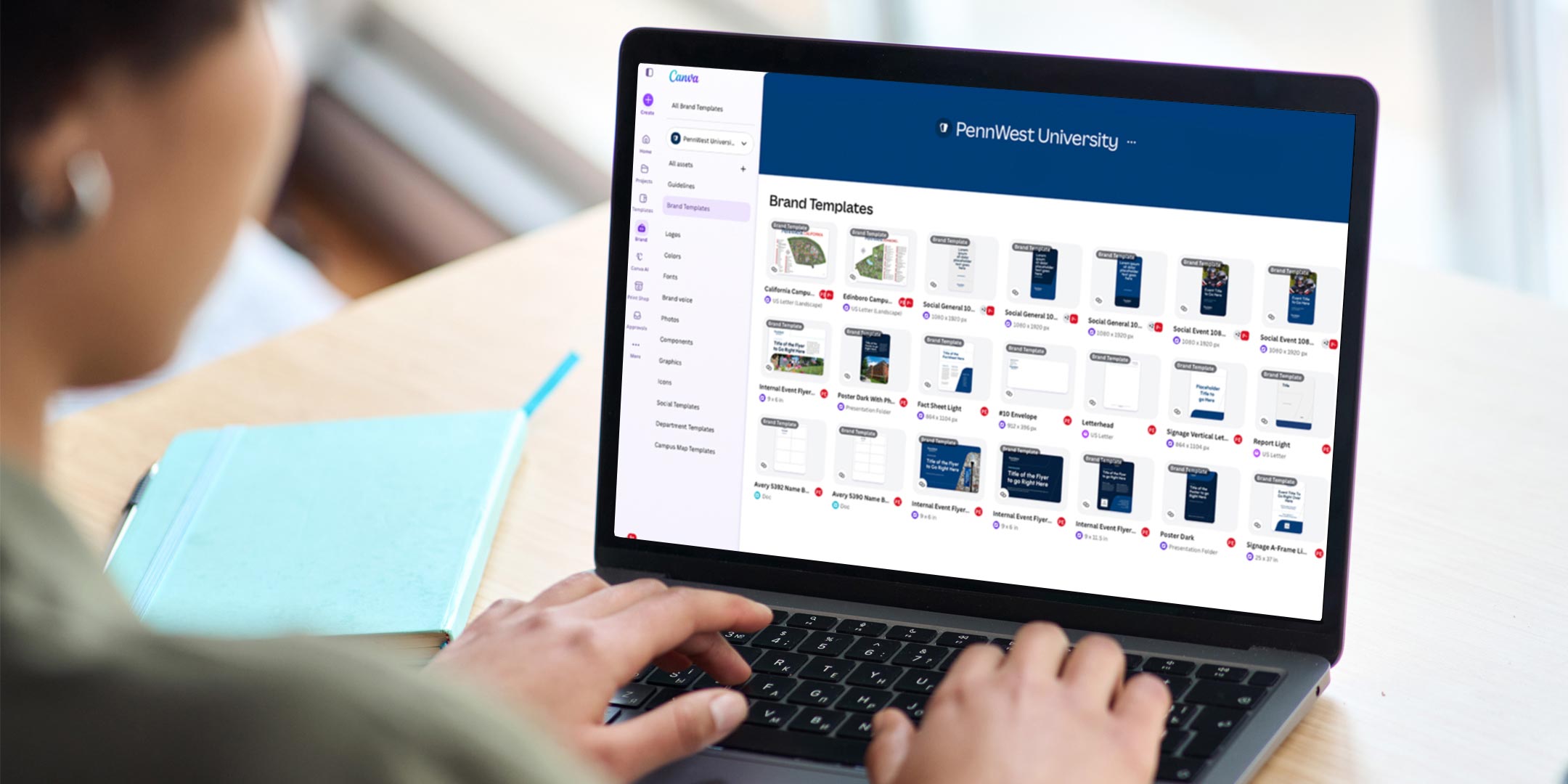
Canva at PennWest
PennWest University provides Canva Enterprise to support the creation of on-brand university communications and materials. The university account provides access to PennWest brand resources, approved templates and Canva’s design tools in a shared enterprise environment.
Employees who regularly create communications or promotional materials as part of their university responsibilities may request access to Canva Enterprise. This includes employees who develop departmental flyers, event promotions, social media graphics, presentations or other university-related materials. Access is managed by UCM and requires completion of university policy and training requirements.
What's Available
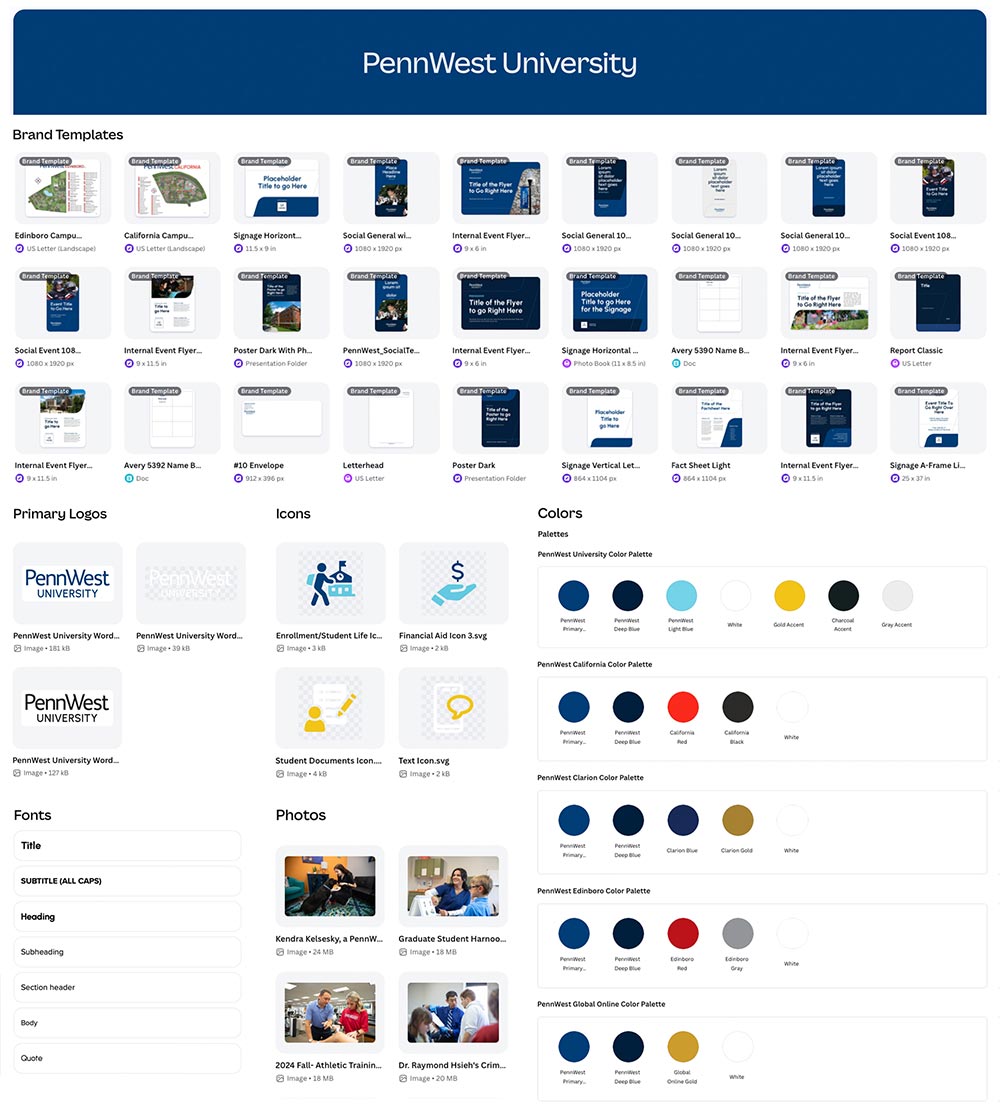
PennWest Canva Enterprise includes:
Students also have access to PennWest Canva Enterprise for academic and university-related work.
Employee Access
Employees who need Canva to create university communications or materials may request access through UCM.
Requests are reviewed based on demonstrated university business need. Submission of a request does not automatically grant access.
Before Access Is Activated
Employees approved for Canva Enterprise access must:
- Review the PennWest Canva Policy.
- Watch the required Canva Training Video.
- Complete the Canva Policy and Training Acknowledgment Form.
Once UCM receives confirmation that these requirements have been completed, Canva Enterprise access will be activated.
Using Canva at PennWest
Canva is intended to make it easier for university offices to create routine communications while maintaining a consistent PennWest brand.
Employees using Canva are expected to follow PennWest brand standards, use approved university assets and templates when available, and comply with the Canva Policy and other applicable university policies.
For projects requiring more extensive creative development, strategic consultation or professional design support, employees should continue to work with UCM Creative Services.
When to Contact Creative Services
Canva is intended primarily for routine communications using approved templates. Creative Services should be involved when a project requires:
- A new or original visual concept beyond available templates;
- A new or modified logo or visual identity;
- A university-level marketing, recruitment, fundraising or institutional campaign;
- Publication design or complex print production;
- Professional photography or videography;
- Custom illustration; or
- Signage, environmental graphics or other specialized creative work.
Simply changing the content, photos, colors or layout within an approved template generally does not make something an original design project requiring Creative Services.
Need Help?
Have a question about Canva access, templates, brand standards or whether Canva is appropriate for your project?
Frequently Asked Questions
Canva Enterprise provides a centralized, university-supported platform for creating routine communications while maintaining PennWest brand standards. The Enterprise environment gives approved users access to university templates, logos, photography and other brand assets, improves cross-department collaboration and lets PennWest manage licensing and access centrally.
All PennWest students have free access to Canva Enterprise for academic and university-related work.
Faculty and staff who regularly create communications or promotional materials as part of their university responsibilities may request access to Canva Enterprise. Access is managed by University Communications and Marketing (UCM) and requires approval and completion of the required onboarding process before accounts are activated.
No. All PennWest employees can continue to access university-approved templates and brand resources through the UCM Hub and the Templates Library.
These resources include downloadable PowerPoint, Word and other templates for common university communications. Canva Enterprise provides additional design and collaboration capabilities for employees with an approved business need.
Employees with a demonstrated university business need may request Canva Enterprise access by submitting a request through the Canva Access Request Form.
UCM reviews requests based on employee responsibilities, frequency and volume of communications, existing Canva use and collaboration needs.
Departments are encouraged to designate employees who regularly create university communications rather than request licenses for employees with only occasional needs.
Submission of a request does not automatically grant access. Employees whose requests are approved will receive instructions through Wrike to complete the required onboarding steps before access is activated.
Once UCM approves a Canva Enterprise access request, employees will receive instructions through Wrike to complete the following requirements:
- Review the PennWest Canva Policy.
- Watch the required Canva Training Video.
- Complete the Canva Policy and Training Acknowledgment Form.
Links to all required materials will be provided through Wrike. Once UCM verifies receipt of the completed acknowledgment, UCM will activate Canva enterprise access.
Employees who have already completed the required training and acknowledgment during the initial rollout will not need to repeat these steps, provided UCM has a record of their completion.
If you already have a Canva Free or Canva Pro account associated with your PennWest email address, you will be prompted to link your existing account when signing in through SSO. Linking your account ensures you retain access to your existing designs and projects.
If you need assistance transferring designs from a previous Canva team to the PennWest Canva environment, please refer to Canva’s Help Article on transferring designs.
For additional information about linking your Canva account with SSO, visit Canva’s Help Center article on SSO account linking.
Beginning January 1, 2027, all employees using Canva for university business must access PennWest Canva Enterprise through Microsoft 365 single sign-on (SSO) using their PennWest email credentials. Existing individual and departmental Canva accounts may no longer be used for university business.
Employees and departments currently maintaining separate Canva accounts, including paid subscriptions, must complete their transition to PennWest Canva Enterprise by January 1, 2027.
After this date:
- Separate individual and departmental Canva subscriptions will no longer be permitted for university business.
- Charges for legacy Canva subscriptions will not be eligible for university payment or reimbursement, including through departmental budgets, purchasing cards or employee expense reimbursement.
- All employee Canva access and additional license requests must be coordinated through UCM Creative Services.
Employees who need continued access must request approval and complete the required policy review, training and acknowledgment before their UCM activates their Enterprise access.
For assistance transitioning existing accounts or designs, contact creativeservices@pennwest.edu. Departments should not purchase or renew separate Canva subscriptions.
Approved employees will have individual Canva Enterprise access through their PennWest credentials.
Employees within a department can still collaborate on designs and projects through the PennWest Enterprise environment without sharing login credentials.
Faculty and staff who need to share designs with student workers should use Canva’s Collaboration Link feature. Similar to sharing a document in SharePoint, collaboration links allow multiple users to work on a design simultaneously.
Although PennWest provides Canva access for both employees and students, faculty/staff and student accounts exist in separate Canva environments. As a result, students cannot be added directly to faculty or staff teams or groups.
UCM will work with departments to determine an appropriate number of designated Canva users based on demonstrated business needs.
Additional licenses may be charged to departmental cost centers at the current university rate. All additional licenses must be requested through UCM and cannot be purchased independently.
Yes. Canva Enterprise includes the features available through Canva Pro, along with additional tools for collaboration, brand management and administration.
PennWest Canva Enterprise includes approved university templates and brand assets for common communications such as social media graphics, flyers, presentations, digital signage, certificates and other routine materials. Creative Services will continue to expand and update these resources based on departmental needs.
Yes. Creative Services will work with departments to develop approved templates based on their specific needs.
Department-specific Brand Kits may also include approved departmental logos, templates, photography and other assets created or approved by Creative Services.
The goal is not for every PennWest communication to look identical. Departments should have flexibility to communicate to their audiences while remaining consistent with the overall PennWest brand.
Employees can customize approved templates outside of locked brand elements to fit their needs. Depending on the template, this may include updating content, photography, graphic elements and layouts, as well as selecting colors from PennWest's approved brand palette.
Locked elements protect essential PennWest brand elements while allowing users flexibility to personalize materials within university brand standards.
No. Official university and departmental logos and other locked brand elements may not be modified.
UCM created, approved departmental logos can be included in the departmental Brand Kits so employes can easily access the correct files.
No. Routine materials created by adapting an approved Canva template generally do not require Creative Services review before publication, provided they comply with PennWest brand standards and other applicable university policies.
The templates and Brand Kits provide the tools and guardrails employees need to create routine, brand-consistent communications independently. Employees are responsible for reviewing their materials for accuracy, spelling, clarity, accessibility and appropriate content before publication.
Canva is intended primarily for routine communications using approved templates. Creative Services should be involved when a project requires:
- A new or original visual concept beyond available templates;
- A new or modified logo or visual identity;
- A university-level marketing, recruitment, fundraising or institutional campaign;
- Publication design or complex print production;
- Professional photography or videography;
- Custom illustration; or
- Signage, environmental graphics or other specialized creative work.
Simply changing the content, photos, colors or layout within an approved template generally does not make something an original design project requiring Creative Services.
Not every externally facing communication requires Creative Services review. You may create routine departmental and event communications using approved Canva templates.
However, materials intended to recruit prospective students, promote academic programs or serve as a significant public representation of PennWest should be developed in partnership with UCM. These communications may shape someone’s first impression of the University and require a higher level of strategic, brand and creative oversight.
When in doubt, contact UCM before beginning the project so we can help determine the appropriate approach.
Materials created in Canva must comply with applicable accessibility requirements and PennWest standards. Users are responsible for ensuring their communications are accessible.
UCM will provide guidance, templates and resources to help users create accessible materials.
Users may use Canva's AI features to support productivity, but they remain responsible for ensuring AI-generated content is accurate, accessible, appropriate and consistent with PennWest policies and brand standards.
AI-generated imagery may not be used in official university marketing, recruitment, executive communications, institutional publications or news content without approval from UCM Creative Services.
PennWest's official communications should prioritize authentic photography of our students, faculty, staff, campuses and programs.
UCM Creative Services can assist with Canva access, existing account transitions, templates, departmental Brand Kits, brand standards and determining whether a project is appropriate for Canva.
Contact Creative Services at creativeservices@pennwest.edu for access information, training requirements and university resources.
Additional Canva Resources
- Canva Design School: Explore tutorials on design fundamentals, typography, branding, and more.
- Weekly Live Webinars: Attend live training sessions and learn new Canva features and best practices.
- Canva Help Center: Access articles and guides covering Canva’s tools, features, and functionality.
- Canva Customer Happiness Team: Get technical support and troubleshooting assistance directly from Canva.