- Go to our PennWest online password reset tool.
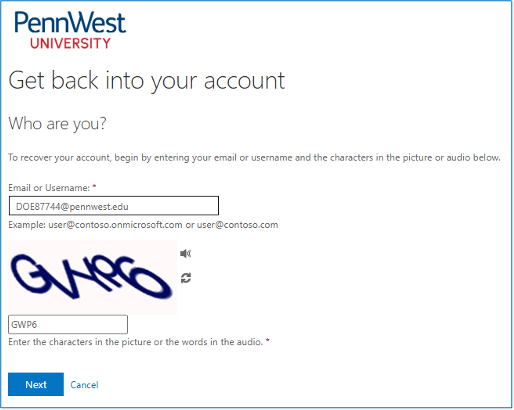
- Enter your PennWest email address and the characters shown in the picture. Click “Next”
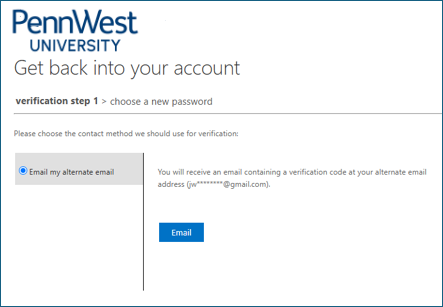
- Select from the options provided and Microsoft will send you a verification code.
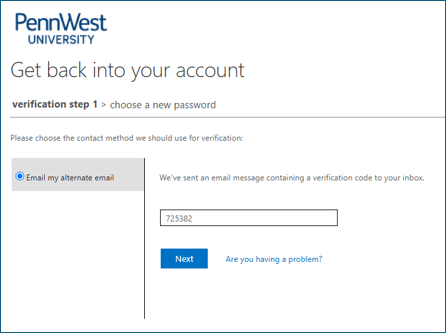
- Enter the verification code and click “Next”
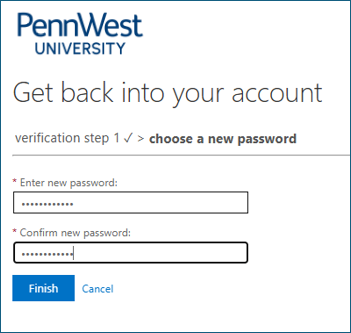
- Enter your new password twice. Then click “Finish”.
Password Requirements
- Password must be at least 12 characters in length.
- Password must be different than the previous 10 passwords.
- Password must contain at least 2 additional type of character: Number, Capital Letter, or “Special Character” in addition to Lowercase Letters.
- Password expires in 1 year
- Passphrase – It is recommended that you use a passphrase which is a series of random words which may not include spaces. Example: CorrectHorseBatteryStaple5
Reminder: Make sure you update each of your devices that use your PennWest account with your new password!